My Router - Part 6
Tang, VLMCSD, Peanut and ZRAM Swap

Apologies. Dropbear mods have been moved to Part 8 of this series for better organization.
Tang
Running a Tang server on OpenWrt allows you to set up Network-Bound Disk Encryption (NBDE) using a lightweight router instead of a full Linux server. Let’s install and configure Tang:
1
2
3
4
apk add tang
uci set tang.config.enabled='1'
uci commit
service tang restart
Note that the keys to your Tang server are stored in
/usr/share/tang/dband are automatically backed up when creating a configuration backup.
That’s all you need for the server side. For client side instructions, I suggest reading Network Bound Disk Encryption with clevis and tang on OpenWRT, as that website is very helpful.
OpenSSH SFTP server
For some reason, the package openssh-sftp-server seems to be missing from the default OpenWRT 25.12.x install (at least on mine it is missing). As a result, I can’t scp from my computer to anywhere in the router.
Let’s fix this:
1
apk add openssh-sftp-server
VLMCSD
KMS Emulator for OpenWRT. Do some research. Let’s install and configure it:
1
2
3
4
apk add vlmcsd
uci add_list dhcp.@dnsmasq[0].srv_host='_vlmcs._tcp.lan,OpenWrt.lan,1688,0,100'
uci commit
service dnsmasq restart
Peanut
Peanut is a bash script that I wrote which sorts the IP address:port combos by ports for all services that are listening via TCP. Here is a screenshot of the output of the script, which lists the services running on my router at this point in time: 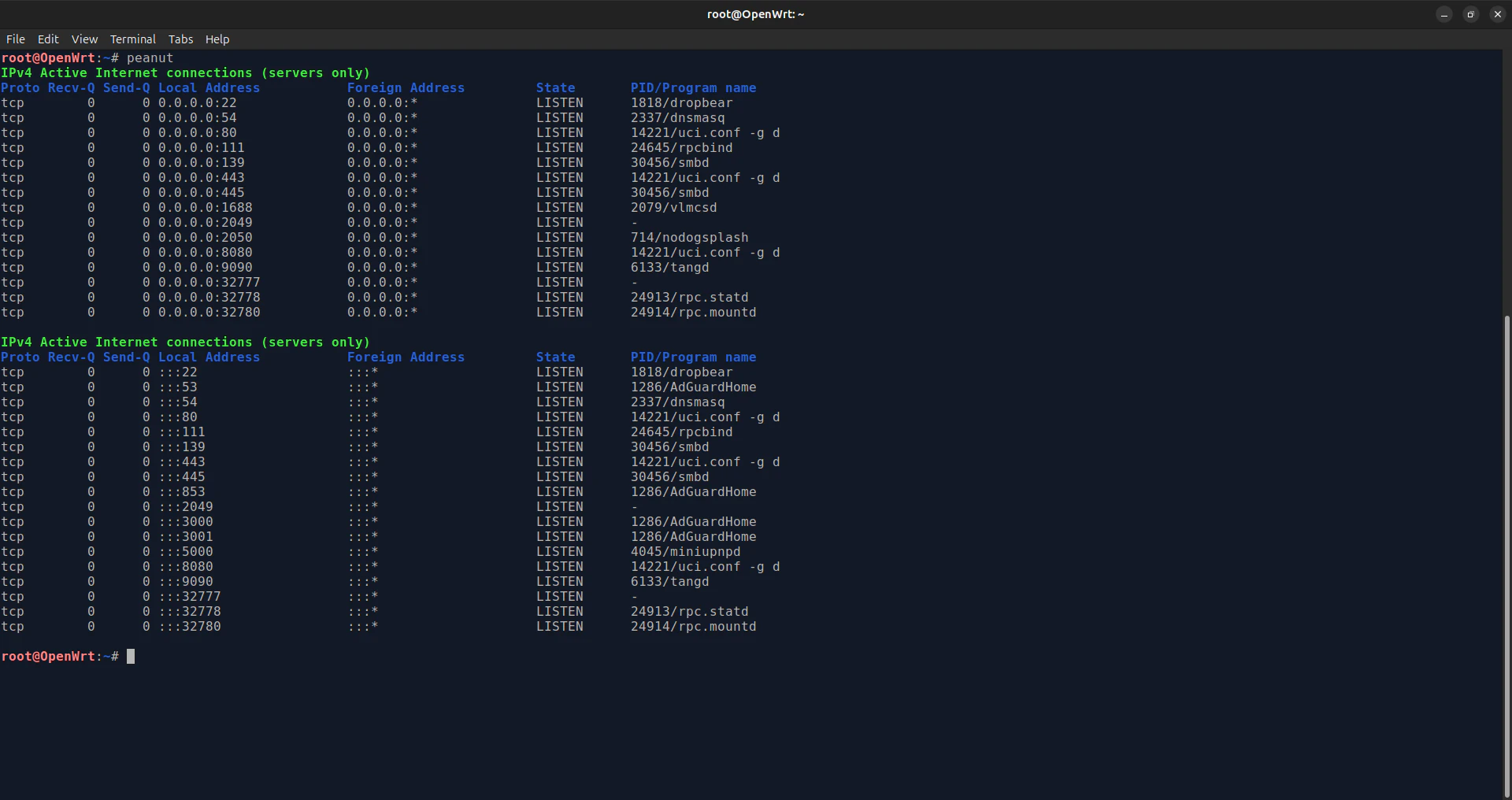
If you don’t have the XPtsp repository installed, go here and add it before executing this next command. Let’s install it:
1
apk add peanut
ZRAM-swap
Zram-swap is a Linux feature that compresses data and stores it in your memory (RAM) instead of a slow hard drive. It helps your computer run faster, use less power, and handle more apps when you are low on physical memory.
Let’s install it!
1
apk add zram-swap
Summary
We’ve managed to increase the functionality of our router. Is there anything else we can do?