My Router - Part 3
Adding USB, File Sharing, and PXE Booting support
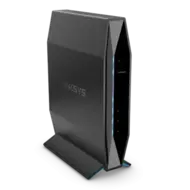
We’ve improved our router a bit by making some adjustments to the configuration…. Let’s add support for USB storage and file sharing and make our router even more awesome!
USB device support
OpenWRT doesn’t come with all the USB device support built-in, so let’s go ahead and install it on our router!
1
apk add kmod-usb-storage kmod-usb-ohci kmod-usb-uhci kmod-usb2 usb-modeswitch kmod-usb-storage-uas
Let’s install filesystem kernel modules and tools to support EXT4, NTFS, EXFAT, and VFAT filesystems. This also enables the System -> Mount Points options within LUCI. We’ll also install some useful utilities to deal with USB storage devices, as well.
1
apk add block-mount kmod-fs-vfat kmod-fs-ext4 kmod-fs-exfat kmod-fs-ntfs3 ntfs-3g ntfs-3g-utils blkid e2fsprogs fdisk usbutils
Later, we’ll add the kmod-usb-net-rndis module so we can also use our phone as an alternative internet source. This requires configuration that I haven’t done yet, so it isn’t included in this post.
Mounting filesystems
My router has a solid state drive with 3 partitions in a SATA enclosure connected to the USB port. I want them to be mounted automatically. Let’s add the configuration to do so:
These UUIDs are not my actual UUIDs for my solid state drive! Use yours, please…
1
2
3
4
5
6
7
8
9
10
11
12
13
14
15
16
17
# Mount Windows partition:
uci set fstab.ubuntu=mount
uci set fstab.ubuntu.target='/mnt/windows'
uci set fstab.ubuntu.uuid='8B9D-69AC'
uci set fstab.ubuntu.enabled='1'

# Mount Ubuntu partition:
uci set fstab.windows=mount
uci set fstab.windows.target='/mnt/pxeboot/disks'
uci set fstab.windows.uuid='dd52e197-72db-4569-88e3-da5c3717f305'
uci set fstab.windows.enabled='1'

# Mount AGH partition:
uci set fstab.adguardhome=mount
uci set stab.adguardhome.target='/tmp/lib/adguardhome'
uci set fstab.adguardhome.uuid='f8c6384b-87c8-45c1-8d63-c158ddb8eb5b'
uci set fstab.adguardhome.enabled='1'
AdGuard Home (AGH) uses a lot of RAM to store statistical information in the /tmp/ directory. Mounting a 1GB partition onto the temporary directory for AGH keeps the router from running out of memory. Unfortunately, it also means that disconnecting the USB drive may crash AGH, as the storage directory disappears while running…. This shouldn’t be a big issue, but I may have to disconnect it from the router and plug it into my computer, so at some point in the future, I’ll try to tackle this issue properly….
We need to commit our changes, mount the partitions, then restart Adguard Home:
1
2
3
uci commit
block mount
service adguardhome restart
Samba Support
Let’s install SAMBA support. Samba is free, open-source software program that lets non-Windows computers (like Linux or Mac) share files and printers with Windows systems. Doing this enables the System -> Network Shares menu within LUCI.
1
apk add luci-app-samba4
I’m altering the SAMBA configuration so that it binds to all addresses instead of interfaces.
1
sed -i "s|bind interfaces only = yes|bind interfaces only = no|" /etc/samba/smb.conf.template
Next, let’s configure the SAMBA server. We mounted our partitions in the /mnt directory, so we will share that directory via SAMBA.
1
2
3
4
5
6
7
8
9
uci -q delete samba4.mnt
uci set samba4.mnt='sambashare'
uci set samba4.mnt.name='mnt'
uci set samba4.mnt.path='/mnt'
uci set samba4.mnt.read_only='no'
uci set samba4.mnt.force_root='1'
uci set samba4.mnt.guest_ok='yes'
uci set samba4.mnt.create_mask='0666'
uci set samba4.mnt.dir_mask='0777'
Lastly, let’s commit the changes and restart our SAMBA server.
1
2
uci commit
service samba4 restart
Network File System (NFS)
Let’s install NFS support on our router. NFS is my protocol of choice to share files over an internal Local Area Network. It shows soft links better and/or more accurately than SAMBA, so for some purposes, it is more desirable to use NFS instead of SAMBA shares.
1
apk add nfs-kernel-server nfs-kernel-server-utils
I’m going to define two NFS shares. These are restricted to the main LAN network (all devices on the 192.168.20.0/24 subnet). Devices outside this subnet cannot access these shares!
The first command DESTROYS the existing contents of the file! You’ve been warned!
1
2
echo '/mnt/pxeboot/disks 192.168.20.0/24(rw,all_squash,insecure,no_subtree_check,fsid=0)' > /etc/exports
echo '/mnt/windows 192.168.20.0/24(rw,all_squash,insecure,no_subtree_check,fsid=0)' >> /etc/exports
Finally, we’ll restart the service:
1
service nfsd restart
PXE Boot Server
PXE boot, or Preboot eXecution Environment boot, is a network-based booting process that allows computers to start up using an operating system image retrieved from a server instead of local storage. This method is particularly useful for deploying operating systems across multiple machines efficiently.
First, let’s enable and Configure TFTP in dnsmasq:
1
2
3
uci set dhcp.@dnsmasq[0].enable_tftp='1'
uci set dhcp.@dnsmasq[0].tftp_root='/mnt/pxeboot'
uci set dhcp.@dnsmasq[0].dhcp_boot='pxelinux.0'
We need to set up 3 profiles: via BIOS, via UEFI x32 mode, and via UEFI x64 mode.
1
2
3
4
5
6
7
8
9
10
11
12
13
14
15
16
17
18
19
20
21
22
23
24
25
26
27
28
29
30
31
32
33
34
35
36
37
38
# PXEboot profile: BIOS
uci set dhcp.linux=boot
uci set dhcp.linux.filename='pxelinux.0'
uci set dhcp.linux.serveraddress='192.168.20.1'
uci set dhcp.linux.servername='OpenWrt'
uci add_list dhcp.linux.dhcp_option='209,pxelinux.cfg/default'
uci set dhcp.linux.force='1'
uci set dhcp.pxe_match=match
uci set dhcp.pxe_match.networkid='bios'
uci set dhcp.pxe_match.match='60,PXEClient:Arch:00000'
uci set dhcp.pxe_boot=boot
uci set dhcp.pxe_boot.filename='tag:bios,pxelinux.0,,192.168.20.1'
uci set dhcp.pxe_boot.serveraddress='192.168.20.1'
uci set dhcp.pxe_boot.servername='OpenWrt'

# PXEboot profile: UEFI x64
uci set dhcp.pxe_x64_eefi_match1=match
uci set dhcp.pxe_x64_eefi_match1.networkid='efi64'
uci set dhcp.pxe_x64_eefi_match1.match='60,PXEClient:Arch:00007'
uci set dhcp.pxe_x64_uefi_match2=match
uci set dhcp.pxe_x64_uefi_match2.networkid='efi64'
uci set dhcp.pxe_x64_uefi_match2.match='60,PXEClient:Arch:00009'
uci set dhcp.pxe_x64_uefi_boot=boot
uci set dhcp.pxe_x64_uefi_boot.filename='tag:efi64,syslinux64.efi,,192.168.20.1'
uci set dhcp.pxe_x64_uefi_boot.serveraddress='192.168.20.1'
uci set dhcp.pxe_x64_uefi_boot.servername='OpenWrt'

# PXEboot profile: UEFI x86
uci set dhcp.pxe_x86_uefi_match1=match
uci set dhcp.pxe_x86_uefi_match1.networkid='efi64'
uci set dhcp.pxe_x86_uefi_match1.match='60,PXEClient:Arch:00002'
uci set dhcp.pxe_x86_uefi_match2=match
uci set dhcp.pxe_x86_uefi_match2.networkid='efi64'
uci set dhcp.pxe_x86_uefi_match2.match='60,PXEClient:Arch:00006'
uci set dhcp.pxe_x86_uefi_boot=boot
uci set dhcp.pxe_x86_uefi_boot.filename='tag:efi32,syslinux32.efi,,192.168.20.1'
uci set dhcp.pxe_x86_uefi_boot.serveraddress='192.168.20.1'
uci set dhcp.pxe_x86_uefi_boot.servername='OpenWrt'
Commit changes and restart dnsmasq:
1
2
uci commit
service dnsmasq restart
We need to get the files to support PXE booting from the internet, then move them into position.
1
2
3
4
5
6
7
8
9
cd /tmp
wget https://www.kernel.org/pub/linux/utils/boot/syslinux/syslinux-6.03.tar.gz
tar -xzf syslinux-6.03.tar.gz
mkdir -p /mnt/pxeboot
cd /tmp/syslinux-6.03
cp efi64/com32/elflink/ldlinux/ldlinux.e64 bios/core/pxelinux.0 bios/com32/elflink/ldlinux/ldlinux.c32 bios/com32/menu/vesamenu.c32 bios/com32/lib/libcom32.c32 bios/com32/libutil/libutil.c32 /mnt/pxeboot/
cp efi64/efi/syslinux.efi /mnt/pxeboot/syslinux64.efi
cp efi32/efi/syslinux.efi /mnt/pxeboot/syslinux32.efi
ln -sf /mnt/pxeboot/disks /mnt/pxeboot/pxelinux.cfg
Finally, we’re going to add them to the list of files to back up, making sure to exclude the /mnt/pxeboot/disks directory. The reason is that we don’t need a backup of the files in that partition in our OpenWrt configuration backup. Yes, sysupgrade will try to include them!
We want these files as part of the firmware, so it becomes a “once-and-done”-type thing for setting up our PXE boot server. You could say “Minimal time setting up the thing”…
1
ls /mnt/pxeboot | grep -v disks | while read FILE; do echo /mnt/pxeboot/$FILE; done >> /etc/sysupgrade.conf
Summary
Okay, we’re done with file sharing programs… Let’s turn our attention to the program serving LUCI, rather, replacing UHTTPD with NGINX…